 Retriever
The free native Mac API client.
Send requests, switch environments and chain responses in a native Swift app. Your work stays in local JSON files. No account, no license key, no subscription. Doesn't shed.
Signed & notarized · Apple silicon and Intel · No treats required
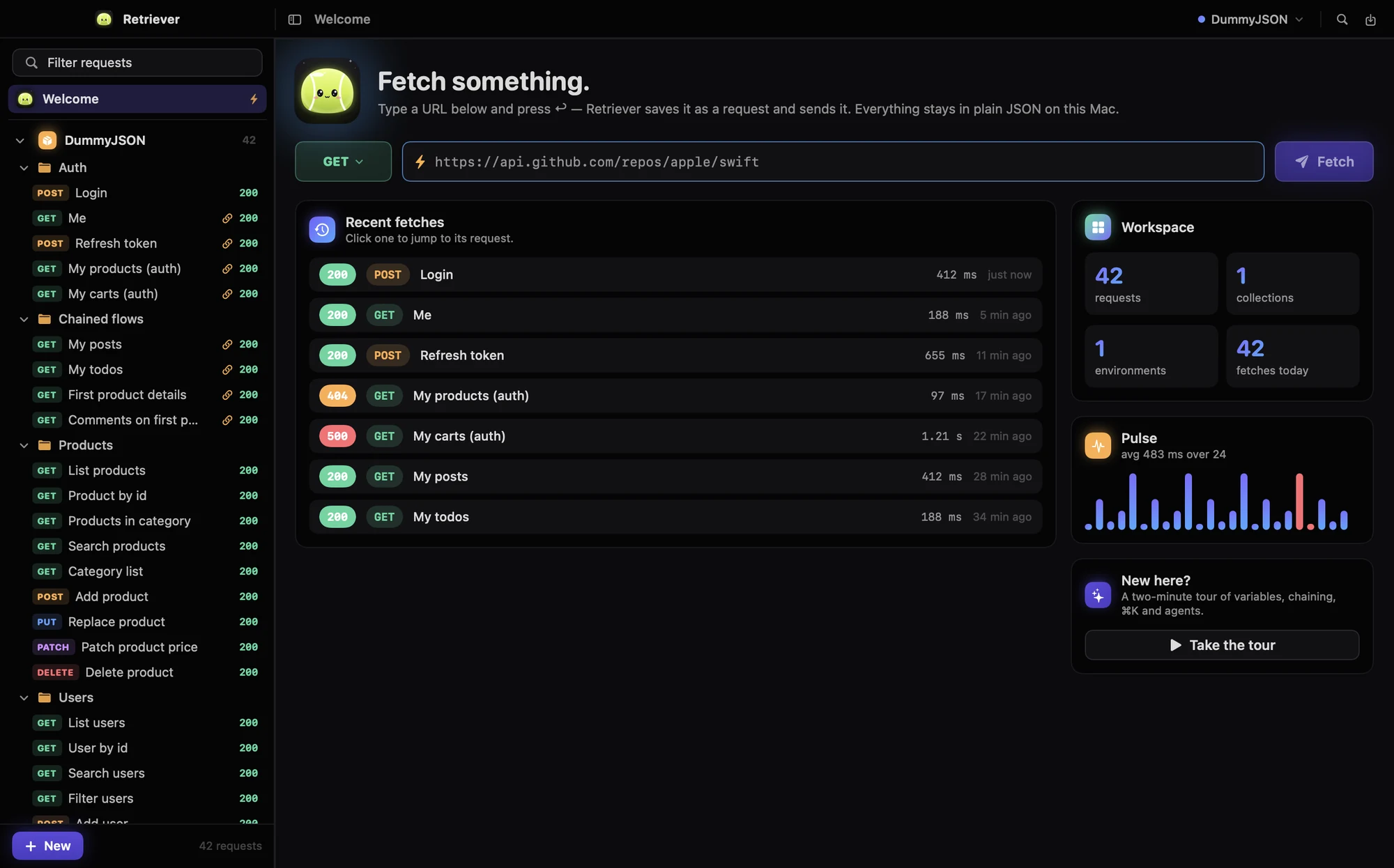

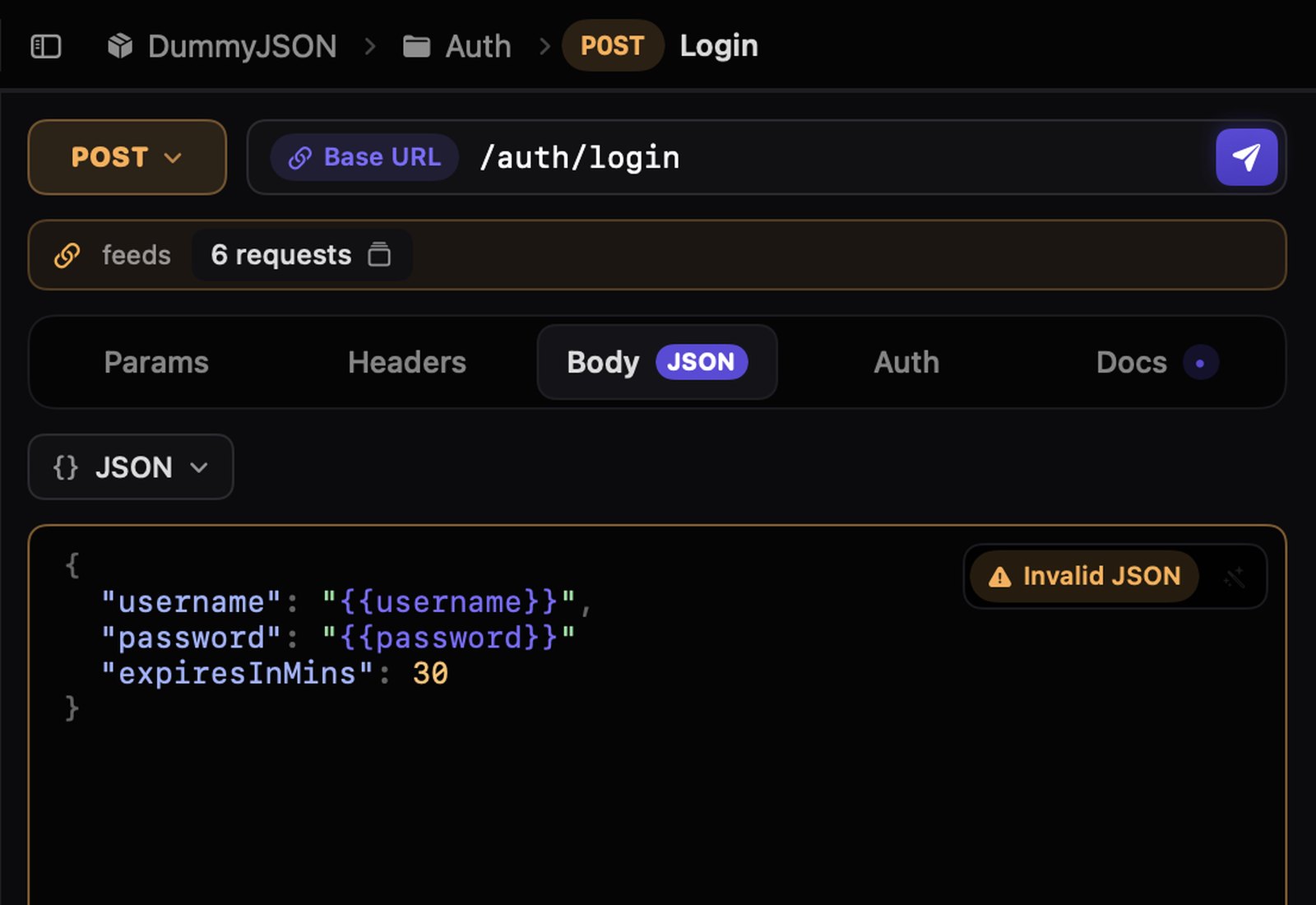
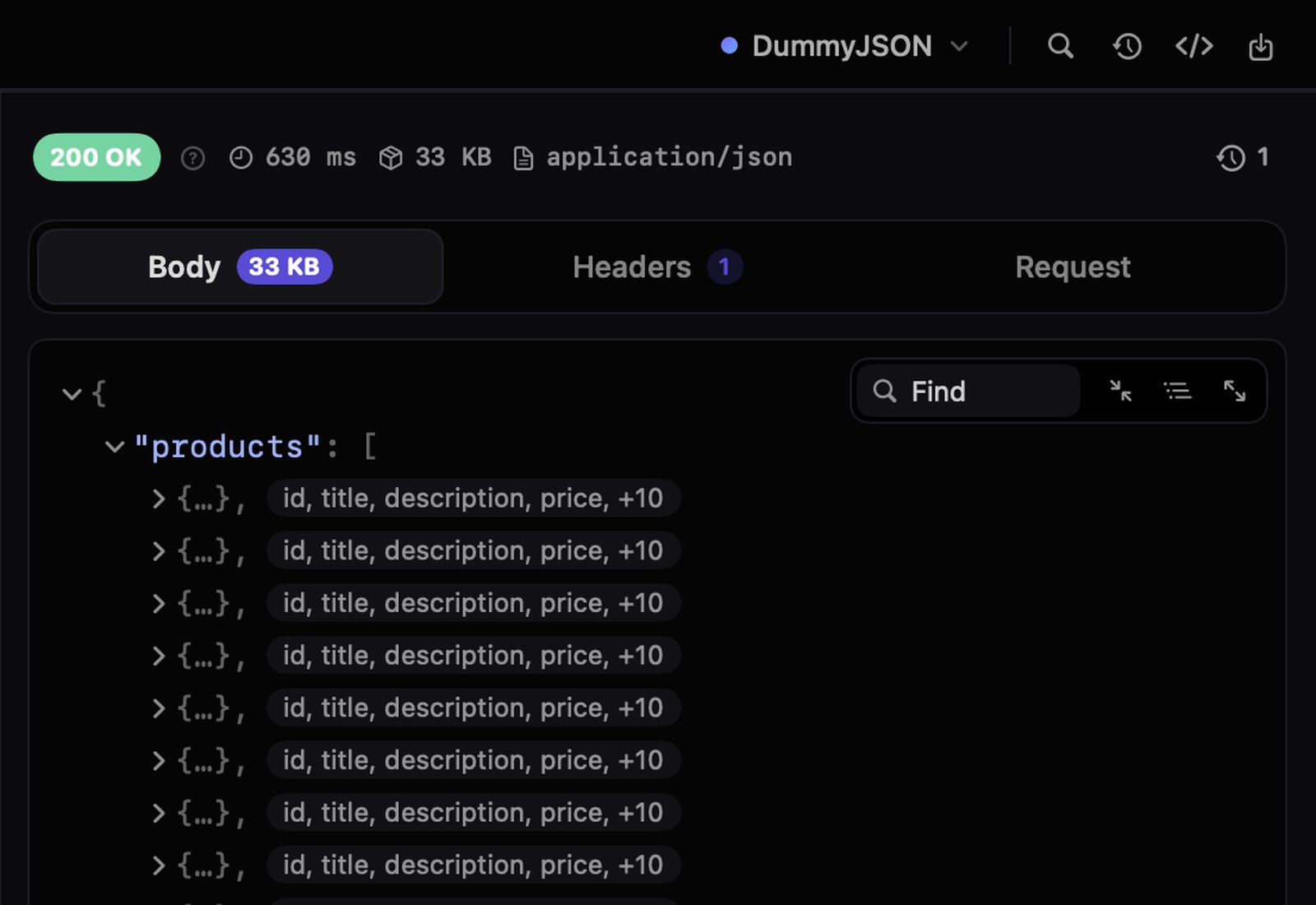
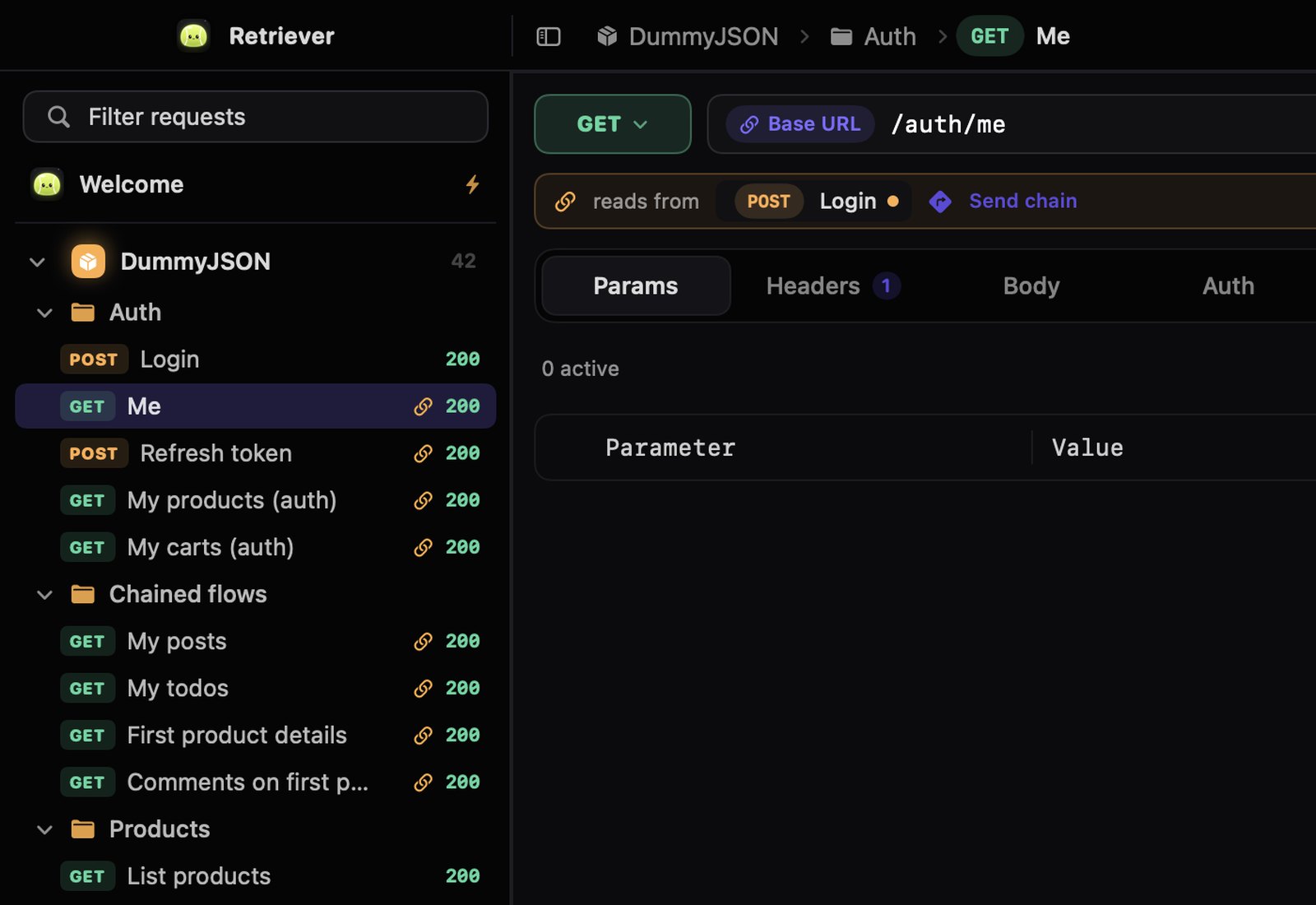
Send. Read. Chain. Repeat.
Working with an API is the same loop a hundred times a day. Here is what Retriever does at every turn of it.
Everything else you reach for.
Environments that actually switch things
Write {{baseUrl}} and {{token}} once. Pick Local, Staging or Production and the same request hits a different server with different credentials.
⌘K to anywhere
Jump to a request, switch environment, run a command. Every shortcut is rebindable.
GraphQL
Fetch Schema introspects the API; build a query from any field. Errors under a 200 get flagged.

WebSockets
Connect, send text or JSON, ping, and watch a filterable conversation that lands in History.

gRPC
Unary and server streaming over HTTP/2, from server reflection or your .proto files. Messages as JSON.

Midnight by default. Seven more if you like.
Near-black and quiet, with Retriever's deep navy, Graphite, Nord, Solarized, Dracula, Rosé Pine and Evergreen one click away. Each has a light and a dark variant.

Your files, readable
No database, no cloud. Commit it, sync it, grep it.
Retriever/
├ workspace.json
├ history/ per request
├ versions/ a year of them
└ cookies.json 0600
Imports
Postman v2.1, cURL, OpenAPI and Swagger, Insomnia v4, HAR.
Paste curl
Into the URL field, and it becomes a request.
Cookie jar
Set-Cookie is kept and sent back, like a browser.
Dynamic values
{{$uuid}}, {{$isoTimestamp}}, fresh on every send.
Tabs
Keep several requests open, each where you left it.
Find in responses
Search keys and values in the JSON tree.
Proxies and TLS
HTTP(S) and SOCKS proxies; skip verification per request.
Status guides
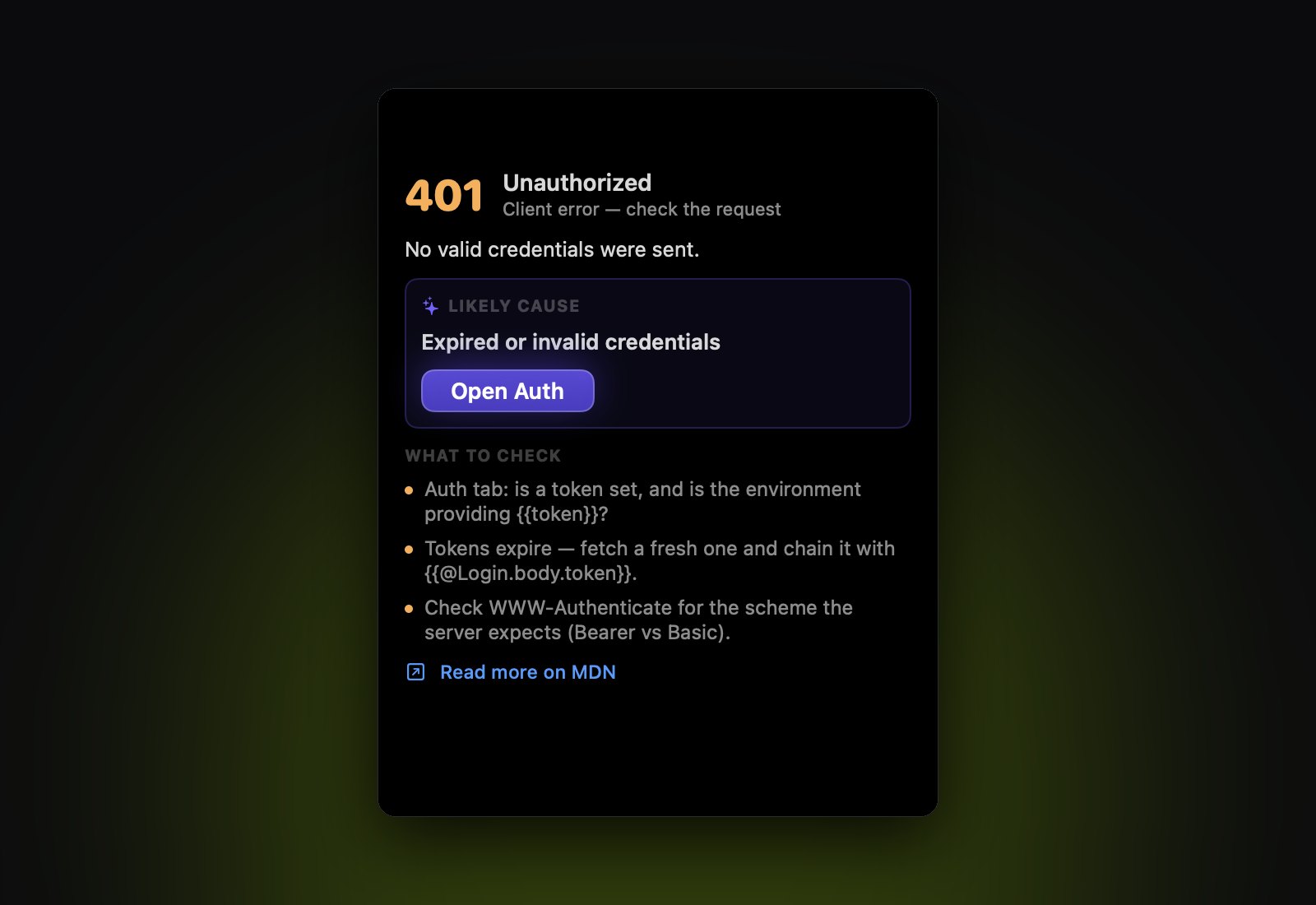
What a 409 or 429 means, and what to check first.
Your agent can use it too.
Retriever ships a Model Context Protocol server. Claude Code, Cursor or any MCP client can list, create, edit and send your requests on the same workspace, so what the agent does appears in your sidebar within a second.
One line to connect.
Twenty-two tools, from list_requests and send_request to graphql_schema, grpc_describe and oauth_token. Requests that use OAuth 2 get their token automatically, and values that look like secrets are masked unless the agent asks to reveal them.
# Claude Code
claude mcp add retriever -- \
  /Applications/Retriever.app/Contents/MacOS/retriever-mcp

# Cursor / Claude Desktop
{ "mcpServers": { "retriever": {
    "command": "/Applications/Retriever.app/Contents/MacOS/retriever-mcp"
} } }

# then, in your agent:
> log in to the staging API and show me my open orders
Bring your requests from Paw.
Paw / RapidAPI for Mac was discontinued in September 2026. Move across with a Postman Collection export and keep your requests, folders and variables. A dog-themed app replacing a paw-themed one was, frankly, inevitable.
- 01
Export from Paw
File → Export → Postman Collection (v2.1). Do the same for your environments.
- 02
Import into Retriever
⌘O, then paste the JSON or open the file. Folders, headers, bodies, auth and
{{variables}}come across. - 03
Pick an environment
Choose it in the toolbar and press ⌘↩. Dynamic values map to
{{$uuid}}and friends.
The full Paw migration guide, with a concept-by-concept table →
Is Retriever right for your workflow?
| Your workflow | Retriever support |
|---|---|
| HTTP and REST APIs | Requests, environments, OAuth 2.0, a cookie jar, response chaining and JSON inspection. |
| Existing collections | Import Postman v2.1, cURL, OpenAPI / Swagger JSON, Insomnia v4 and HAR. Export Postman v2.1. |
| AI agents | A bundled MCP server works with the same local workspace as the app. |
| Working offline | Local files, and nothing to activate. Everything works with the network off. |
| Paw projects | Import via Postman export. Direct .paw files and custom Paw extensions are not supported. |
| Other protocols | GraphQL with schema introspection, WebSockets, and gRPC (unary and server streaming) via reflection or .proto files, and Server-Sent Events shown live as they arrive. |
For version 0.19.1. Explore all features and current limitations →
It's free. All of it.
No tiers, no trial, no key. If it earns a spot in your Dock (the Mac one, not the kennel), tell a friend.
$0 forever
Download it and it works. There is nothing to pay, now or later.
- Everything, no tiers. OAuth 2, chaining, MCP server, code generation, every import.
- Nothing to activate. No key, no check-in, no sign-in. Works with the network off.
- Your files stay yours. Plain JSON on disk. Stop using Retriever and they still open.
- Updates included. Fixes and features, free like the app.
A signed and notarized universal DMG for macOS 15 or later, Apple silicon and Intel.
Before you ask.
Is it really free?
Yes, the whole app. There is no license key, no account, no trial period and no paid tier holding a feature back. Download the DMG and every feature on this page is there.
Is it really native?
Yes. Retriever is written in Swift with SwiftUI and AppKit, with no Electron runtime. It does not need a copy of Chromium to send a GET request.
Where is my data?
In ~/Library/Application Support/Retriever/: one workspace.json with your collections and environments, and one history file per request. It is plain, readable JSON. Back it up, sync it with whatever you like, or commit it to git. Requests go to the API endpoints you choose. Optional AI features send relevant request data to the provider you chose only after you add a key. Apart from a daily check for updates on this site (which you can turn off) and a report you choose to send with Help → Report an Issue…, nothing else leaves your Mac. See the privacy details.
What can it import and export?
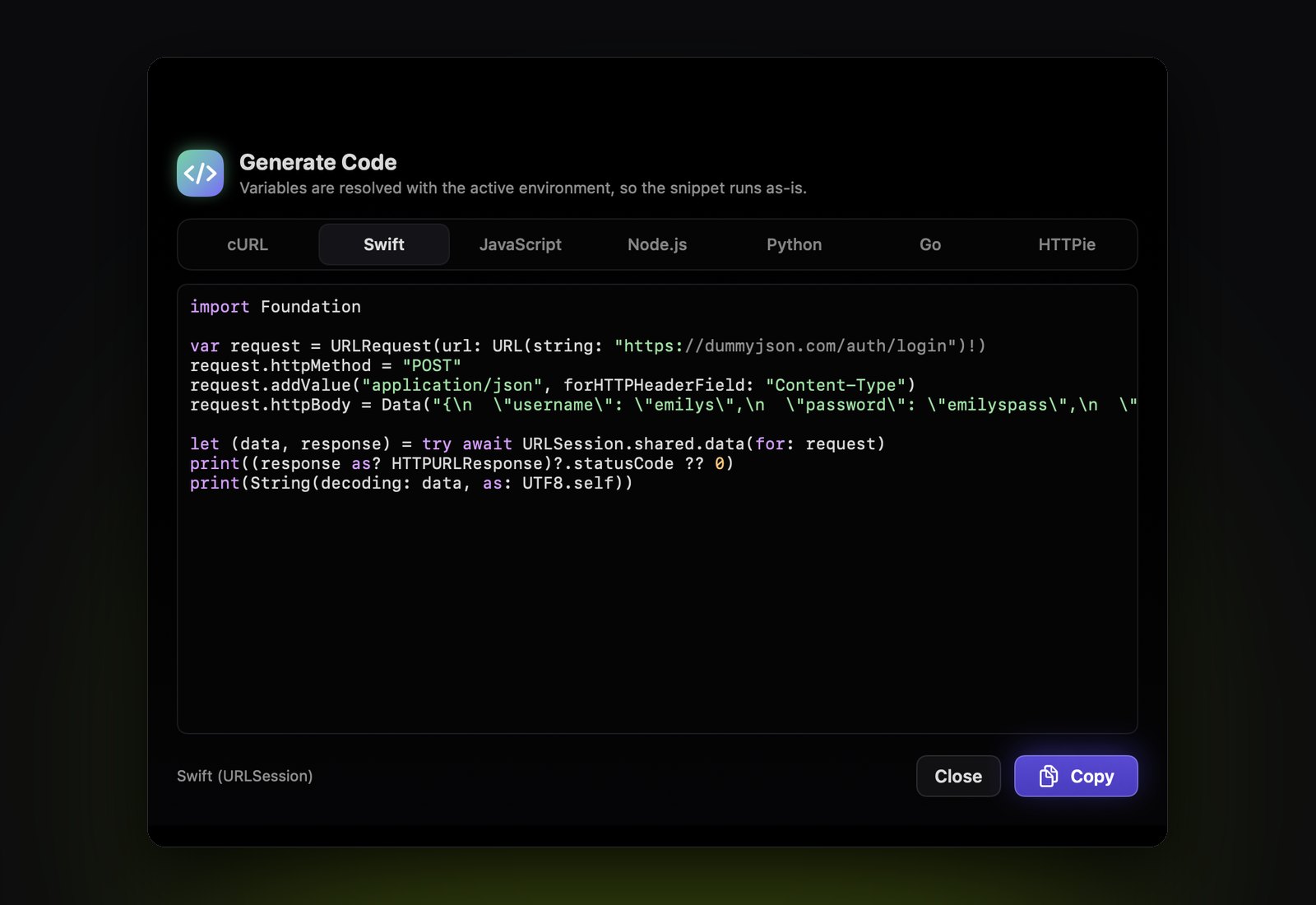
Import: cURL commands (paste into Import or straight into a request's URL field, or ⇧⌘V from the clipboard), Postman Collection v2.1 (OAuth 2 settings included), Postman environments, OpenAPI 3 and Swagger 2 (JSON or YAML), Insomnia v4 exports and HAR files. Export: Postman Collection v2.1, and code in seven languages.
How do chained requests work?
Send the first request, right-click a value in its response and choose Copy as Chain Reference. You get something like {{@Login.body.accessToken}}. Paste it into any field of another request. Chained requests show a link in the sidebar, and Send chain runs the whole sequence in order.
Does it do OAuth 2?
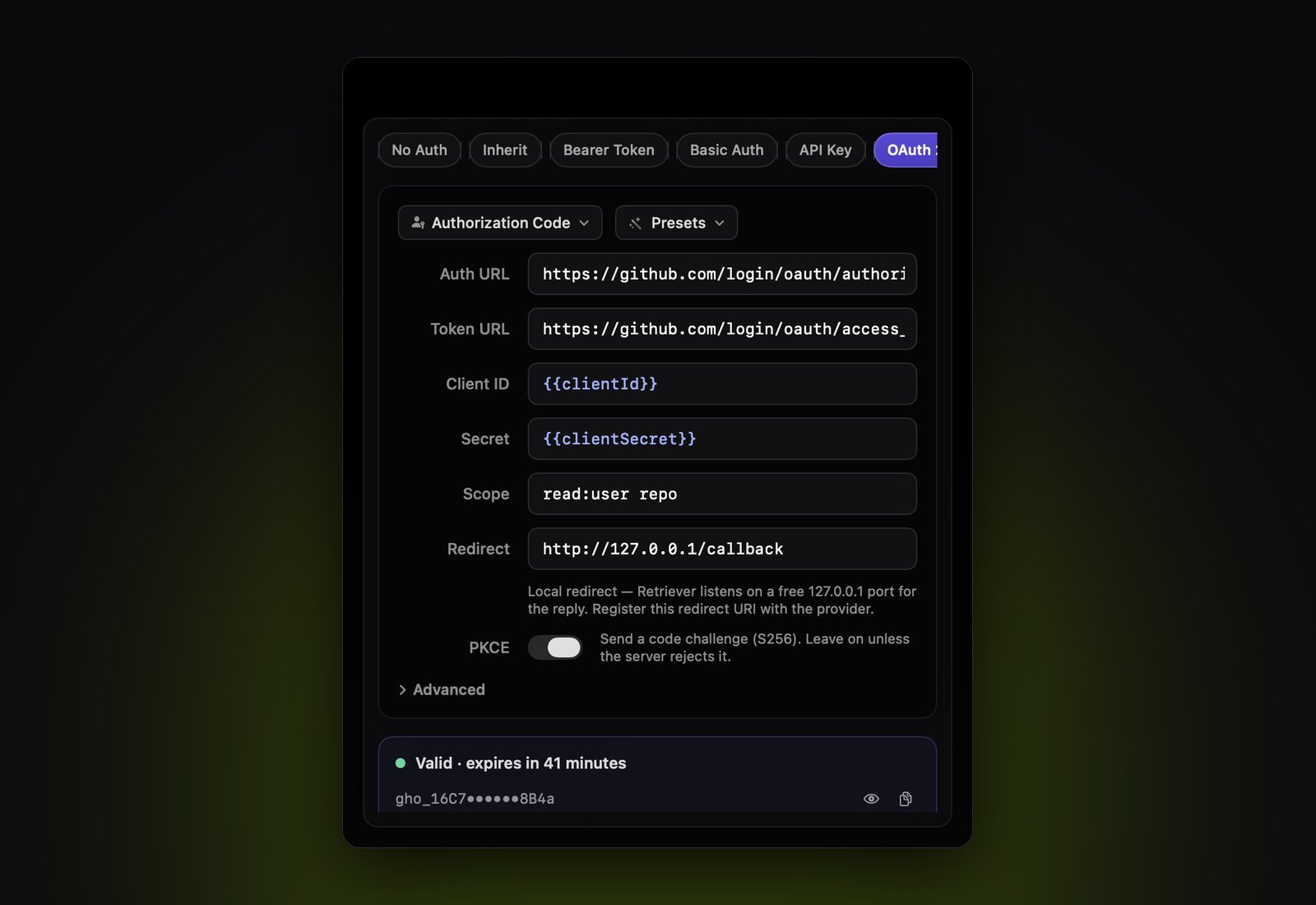
Yes: authorization code with PKCE, client credentials, device code, password and refresh-token grants. Retriever fetches the token when you send, refreshes it before it expires, and retries once on a 401. The redirect can be a local http://127.0.0.1 listener, a custom scheme through the macOS sign-in sheet, or any https URL through an in-app browser, so redirect URIs registered for Postman keep working. Tokens are stored beside your workspace, readable only by you, and never exported.
Can I change how it looks?
Yes. Midnight, near-black and monochrome, is the default. Settings → Appearance also has Retriever (deep navy with soft glows), Graphite, Nord, Solarized, Dracula, Rosé Pine and Evergreen, each in a light and a dark variant; System, Light or Dark picks which one shows.
Why is it free?
Retriever is a side project, not a business, and licensing was the part that made it feel like one. Dropping it means no keys to email, no activation servers to keep up and no one locked out of their own requests because a check failed. Install it on as many Macs as you like.
What if I delete or break something?
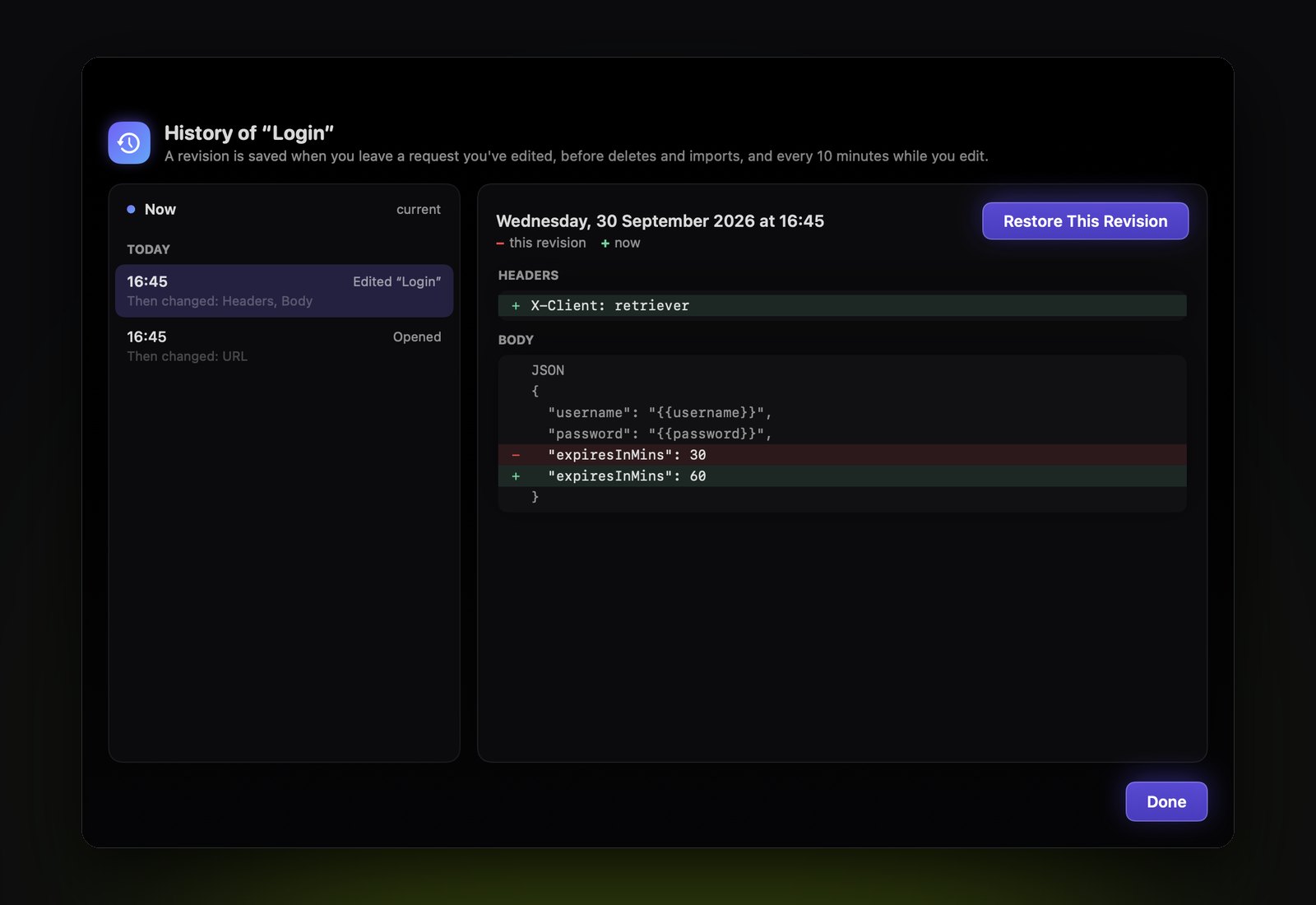
Press ⌘Z. Deletes, moves, imports and edits all undo. For anything older, each request has a History with its earlier revisions and a line-by-line diff, and File → Version History shows saved copies of the whole workspace, taken before every delete and import and every 10 minutes while you edit, so you can restore a single request or everything. The copies are plain JSON files beside your workspace.
What's missing today?
GraphQL subscriptions, interactive client and bidirectional gRPC streaming, and client certificates for WebSocket and gRPC. The roadmap follows what people migrating from Paw hit first, so tell me which one blocks you. The full feature list has everything that's in.
Does it speak GraphQL, WebSockets and gRPC?
Yes. GraphQL is a body type with a variables pane, and Fetch Schema introspects the API so you can browse types and build a query from any field. WebSocket requests connect, send and log messages, and keep each conversation in History. gRPC calls go over HTTP/2, with or without TLS, and read the service from server reflection or your .proto files; you write the message as JSON. And every request shares a cookie jar, so a session cookie from a login is sent back like a browser would.
Will it fetch my tennis ball?
No. It fetches JSON, XML, text and the occasional HTML error page from a proxy nobody remembers setting up. The tennis ball is on you.
Windows or Linux?
No. Being a Mac app is the point.
Is there AI in it?
Only if you want it. With your own API key in Settings → AI, from TypeSafe, Anthropic or OpenAI, Retriever can explain why a request failed, offer chain references for values you pasted from another response, and find requests in ⌘K by description. Each feature asks one short question about the requests involved and reads back a typed answer, never a paragraph. Authorization headers, cookies, passwords and anything that looks like a credential are masked first, and each feature has its own switch. Without a key, nothing is sent. The key is stored beside your workspace, readable only by you.
Does the MCP server phone home?
No. It runs locally over stdio and uses the same workspace as the app, and the only requests it makes are the ones your agent asks for, to the endpoints you configured. Your chosen AI client may send tool results to its model provider; its privacy settings apply.
One developer, and you can email them.
Made by Gjorge Karakabakov
I build small Mac apps that do one job properly. I built Retriever for a familiar native workflow, local files and no strings attached. Also mine: HourSlip, time tracking that ends in an invoice, Capta, the screen recorder that edits itself, and SnagFrog, bug reports for indie apps that Claude can fix. More at karakabakov.com.
Your requests stay on your Mac
No app telemetry, no accounts, no license checks. API requests go to your chosen endpoints, and a daily update check reads one file from this site. Optional AI features contact the provider you chose when enabled. This site counts visits with Google Analytics, and only after you say yes on the cookie banner. Privacy, in full.
